









Intercom
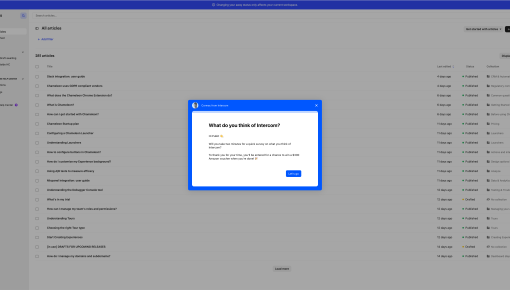
This Intercom microsurvey smartly captures feedback at peak engagement, offering quick insights without...



Existing customer? Sign in
Collect each new user's job role during onboarding to personalize their product experience and show them the most relevant features based on whether they work in Product, Design, or Sales.
First impressions matter—especially in SaaS onboarding. When new users sign up for your product, they're not just looking for features; they're seeking solutions tailored to their specific needs and responsibilities. A user role survey template serves as your first step toward creating personalized product experiences that drive adoption and reduce churn.
Understanding user roles isn't just nice-to-have data—it's the foundation of effective product onboarding personalization. When you know whether someone is a product manager, designer, or sales rep, you can immediately customize their journey with relevant features, use cases, and workflows. This template provides a simple yet powerful framework: a clear heading asking about their company role, an explanatory subheading about personalization, and three targeted role options that segment users for tailored experiences.
A user role survey is a strategic data collection tool that identifies a user's job function to enable personalized product experiences from the moment they enter your application. Unlike feedback surveys or satisfaction questionnaires, role surveys focus specifically on understanding who your users are professionally, allowing you to segment them into meaningful groups for targeted onboarding and feature adoption.
The psychology behind role-based personalization is straightforward: people engage more deeply with content that feels relevant to their specific situation. When a sales manager sees features framed around closing deals rather than generic productivity benefits, they immediately understand the value proposition. This relevance creates stronger initial engagement and sets the stage for long-term product adoption.
User role surveys differ from other onboarding data collection methods because they're predictive rather than reactive. Instead of waiting to see how users behave in your product, you're proactively gathering intelligence to shape their experience. This approach connects directly to broader product adoption strategies by enabling you to deliver value faster and more precisely than one-size-fits-all onboarding flows.
The key is timing and simplicity. Role surveys work best when presented early in the onboarding process, after users have committed to trying your product but before they've formed opinions about its relevance to their needs. By keeping the survey focused on job function rather than detailed preferences, you gather actionable segmentation data without creating friction.
Setting up this user role survey template in Chameleon takes just a few minutes and immediately unlocks powerful personalization capabilities. The template includes three core components designed for maximum clarity and response rates.
The primary heading reads: "We'd love to know a bit more about you. What's your role in the company?" This phrasing is conversational yet professional, positioning the question as helpful rather than intrusive. The subheading explains the value exchange: "This will help us personalize your experience," setting clear expectations about why you're asking for this information.
The template provides three role options—Product, Design, and Sales—which you can customize based on your target audience. These broad categories work well for most SaaS products, but you'll want to adjust them to match your user base. For example, a marketing automation platform might use Marketing, Sales, and Operations instead.
To implement this template, start by creating a new survey in Chameleon's survey builder. The no-code interface lets you customize the styling to match your brand while maintaining the proven structure. Set up conditional logic to trigger different onboarding experiences based on each response—product managers might see feature discovery tours, while sales reps get conversion-focused demos.
Consider timing carefully when setting up triggering conditions. The survey works best when shown after users complete initial account setup but before they dive into core product features. This timing captures them when they're most receptive to guidance while their role information can still influence their first meaningful product interactions.
Effective user role surveys balance comprehensiveness with simplicity. Keep your role options directly relevant to your product's value propositions—if your tool doesn't serve HR professionals differently than other roles, don't include HR as an option. This relevance ensures that survey responses translate into meaningful personalization opportunities.
Use clear, jargon-free language that resonates across different company sizes and industries. "Product Manager" works better than "Product Owner" or "PM" because it's universally understood. Avoid internal company terminology or role titles that might not translate across your user base.
Limit role options to 3-5 choices maximum to prevent decision paralysis. Too many options can overwhelm users and reduce completion rates. If you need more granular segmentation, consider using progressive profiling—gather basic role information first, then collect more specific details through subsequent interactions.
Always include an "Other" option with a text field for roles that don't fit your predefined categories. This prevents users from abandoning the survey and provides valuable data about user segments you might be missing. Review "Other" responses regularly to identify patterns that might warrant adding new role options.
Time your survey appropriately within the onboarding flow. Present it after users have shown commitment (completed signup, verified email) but before they need to make decisions about how to use your product. This timing maximizes response rates while ensuring the data can influence their initial experience.
Follow up with role-specific content immediately after survey completion. Users should see the personalization benefit right away—whether through customized tours, relevant feature highlights, or role-specific use case examples. This immediate payoff reinforces the value of providing their information and increases engagement with subsequent personalization efforts.
Adapting this template for different industries and products requires thoughtful consideration of your user base and value propositions. B2B software companies might focus on functional roles like Marketing, Sales, and Customer Success, while developer tools might segment by Engineering, Product, and DevOps roles.
Customize the messaging to match your brand voice while maintaining clarity. A playful startup might ask "What's your superpower at work?" while an enterprise tool would stick with more formal language. The key is ensuring users immediately understand what you're asking and why it matters.
Consider adding conditional follow-up questions for more detailed segmentation. If someone selects "Marketing," you might ask about their specific focus area—content, demand generation, or product marketing. Chameleon's conditional logic makes it easy to create these branching surveys without overwhelming users who don't need additional questions.
Integrate survey responses with existing user data to create richer profiles. If you already collect company size or industry information, combine that with role data to create highly specific segments like "Sales Reps at Enterprise Companies" or "Product Managers at Startups." This combination enables even more precise personalization throughout the user journey.
How many role options should I include in my survey? Stick to 3-5 options maximum. More choices reduce completion rates and can overwhelm users. Focus on roles that align with distinct use cases in your product.
When should I show the user role survey during onboarding? Present it after users complete initial signup steps but before they start exploring core features. This timing ensures high response rates while allowing role data to influence their first product interactions.
Can I customize the survey questions for my product? Absolutely. While the template provides a proven structure, you should adapt role options and messaging to match your specific audience and value propositions.
How do I measure the effectiveness of my user role survey? Track completion rates, response distribution, and how role-based segmentation impacts key metrics like feature adoption, time-to-value, and retention rates.
What happens if users skip the role survey? Design your onboarding to work without role data, but continue presenting opportunities to collect this information through progressive profiling or contextual prompts based on user behavior.
Ready to create personalized onboarding experiences that drive product adoption? Try this user role survey template in Chameleon and start delivering tailored value from day one.
Start a free trial or talk to our team.
