
















Audit your account, fix a drop-off, build a tour. Just ask Copilot.
Interactive Demos

Interactive Demos that launch your feature and prove it landed

You can watch the demo view count climb and still have no idea if anyone used the feature. Chameleon connects what someone watched to what they did in-app.
Since 2023
Read Case Study
Since 2022
Since 2024
Read Case Study
Since 2022
Read Case Study
Since 2022
Since 2024
Read Case Study
Since 2021
Read Case Study
Since 2020
Read Case Study
Since 2023
Read Case Study
Since 2022
Read Case Study
Since 2025
Since 2025
4.4 stars from 359 reviews
Teams that go from Demo view to feature used
G2 Leader badge for Spring 2026. G2 badge for Highest User Adoption, Enterprise, Summer 2025

Demos that turn a 2-minute recording into a full feature launch

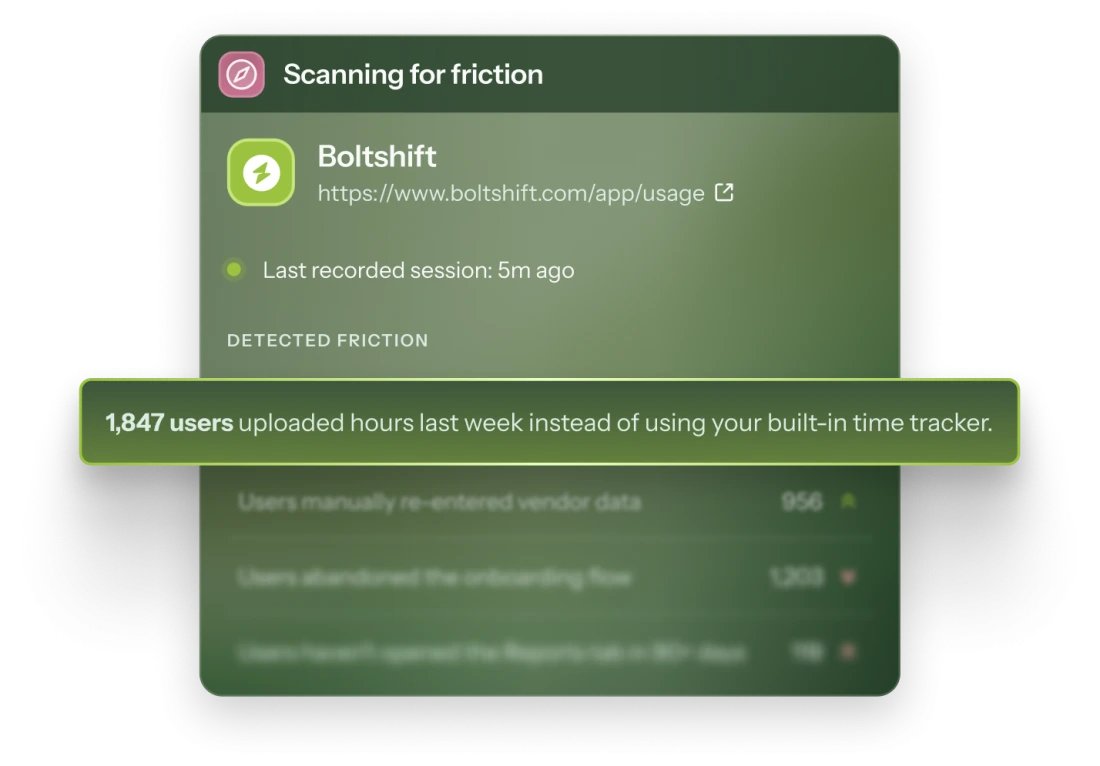
A Compass panel scanning a fictional app for friction, highlighting that 1,847 users manually uploaded hours last week instead of using the built-in time tracker.

Demos that move viewers to users

Demos built by AI
Demos built by AI

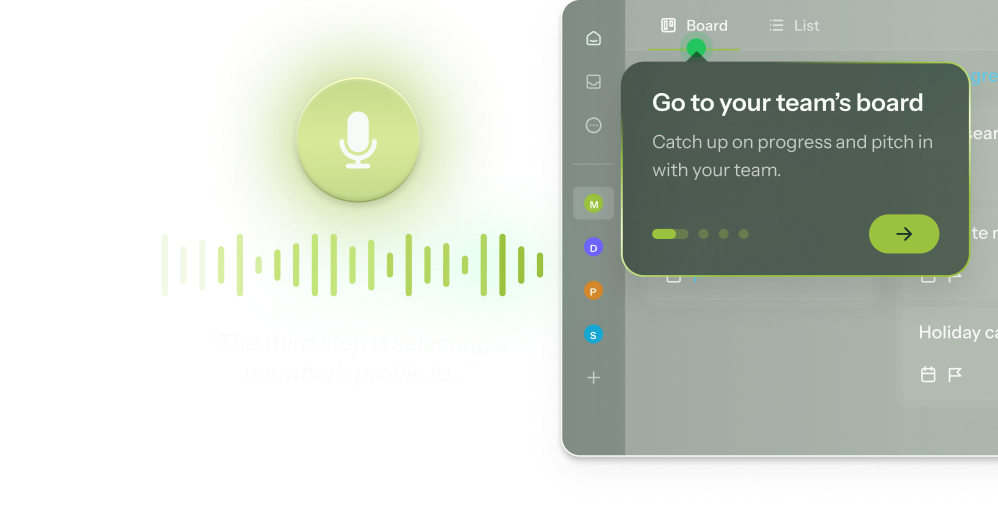
Record yourself explaining a feature. Chameleon handles the Demo, hotspots, chapters, and CTAs.
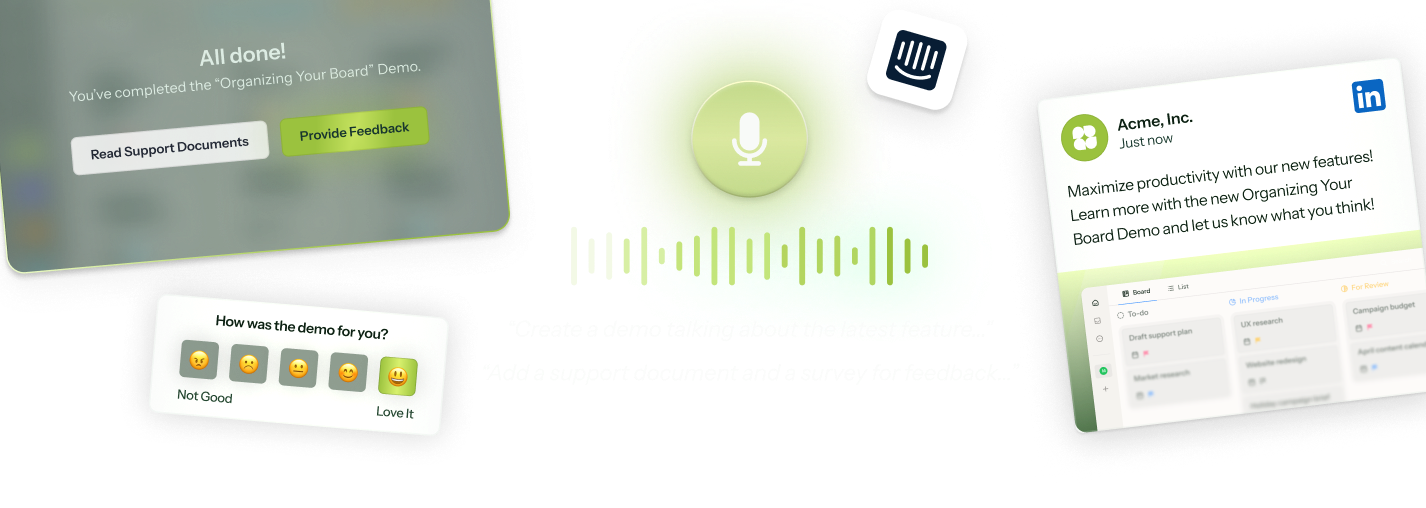
Your full launch campaign

From one recording, Chameleon creates everything for launch: your Demo, in-app tour, survey, help doc copy, and marketing materials. Just review, tweak, and publish.
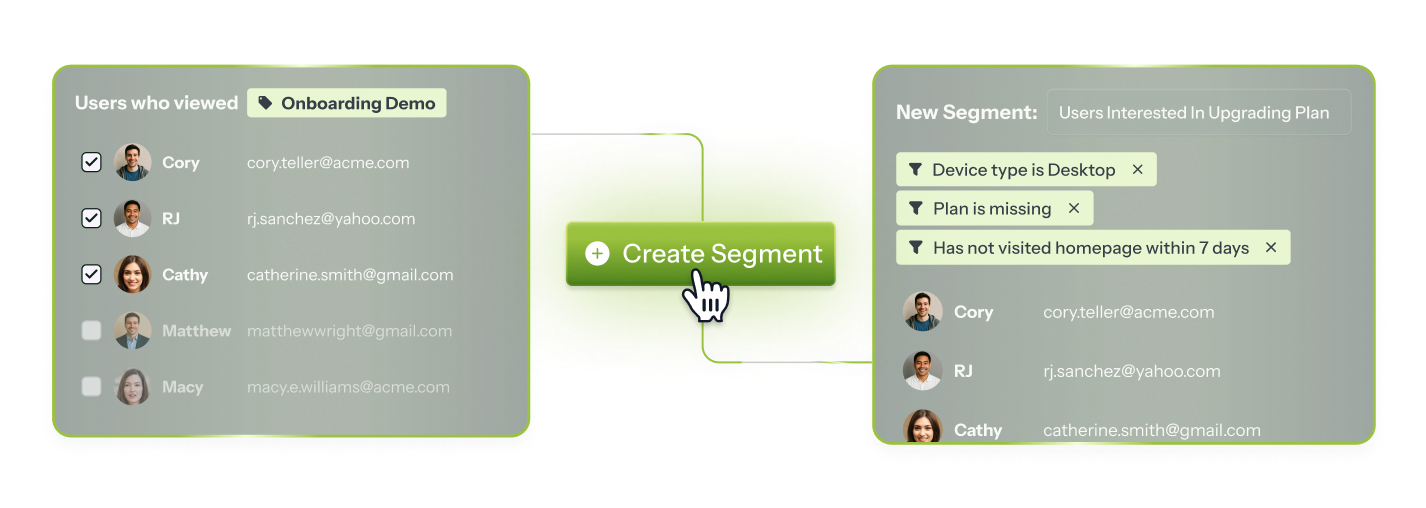
Turn Demo views into in-app audiences

Build audiences for in-app nudges based on Demo engagement—even from visitors who were anonymous when they watched.
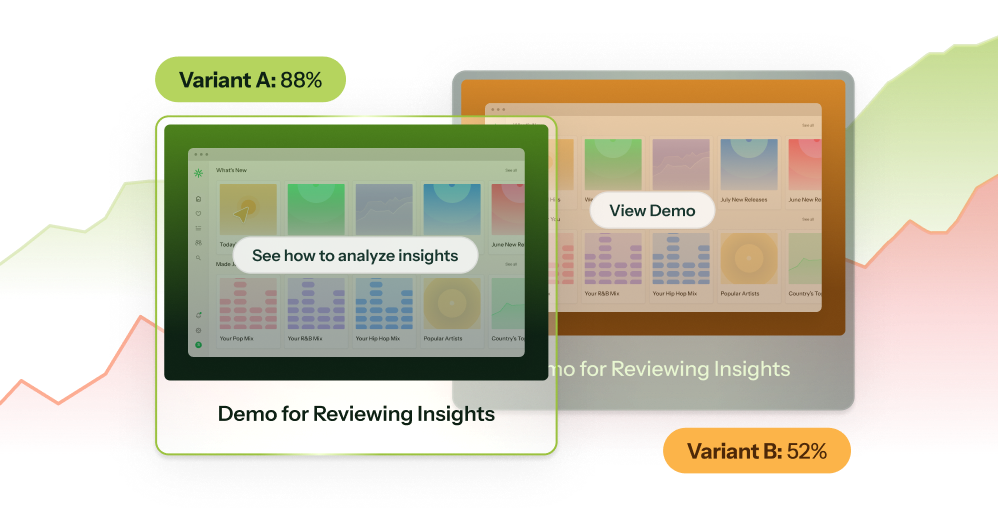
Native A/B testing
Native A/B testing

A/B test your Demos to see what drives feature use, not just views. Set the split, track results, and ship the winner.
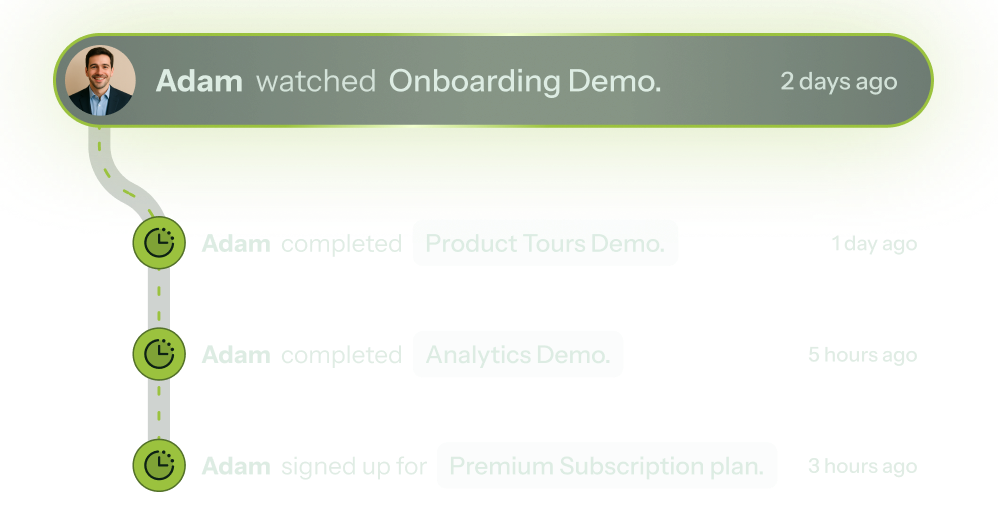
From Demo view to feature used

Set a Demo Goal and track how many viewers went on to use the feature in your product.
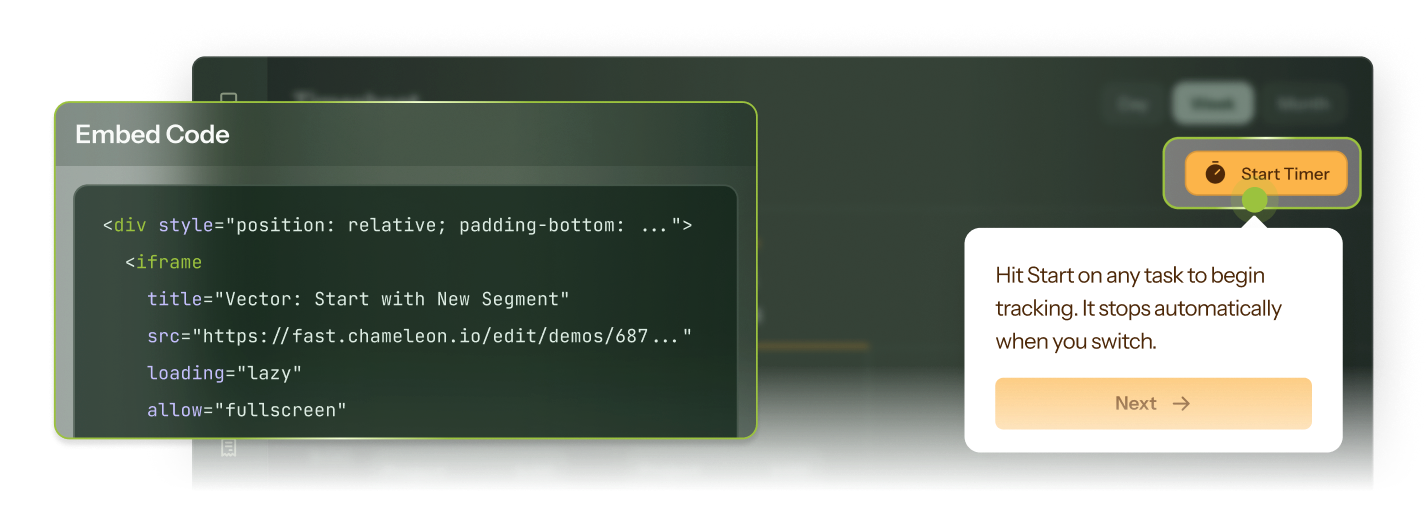
Lives wherever your users are

Embed it on your marketing site, help center, or release notes with one snippet. Or surface it in-app from a Tour or Launcher, right when a user is ready to explore.
Real Demos built with Chameleon

Go from anonymous viewers to active users
Built to be used in-app and to drive in-app activity, Chameleon's Interactive Demos connect seamlessly to in-product interactions and engagement.
"The Demos look amazing! Plus, having full flexibility to leverage user and company properties to engage viewers is HUGE."
Batikan Erdogan
Batikan Erdogan
Head of Growth & Conversion Systems
"Demos have been instrumental in making updates and new product functionality digestible for customers to learn about and then adopt."
Stefanie Mendez
Stefanie Mendez
Head of Marketing

Frequently Asked Questions

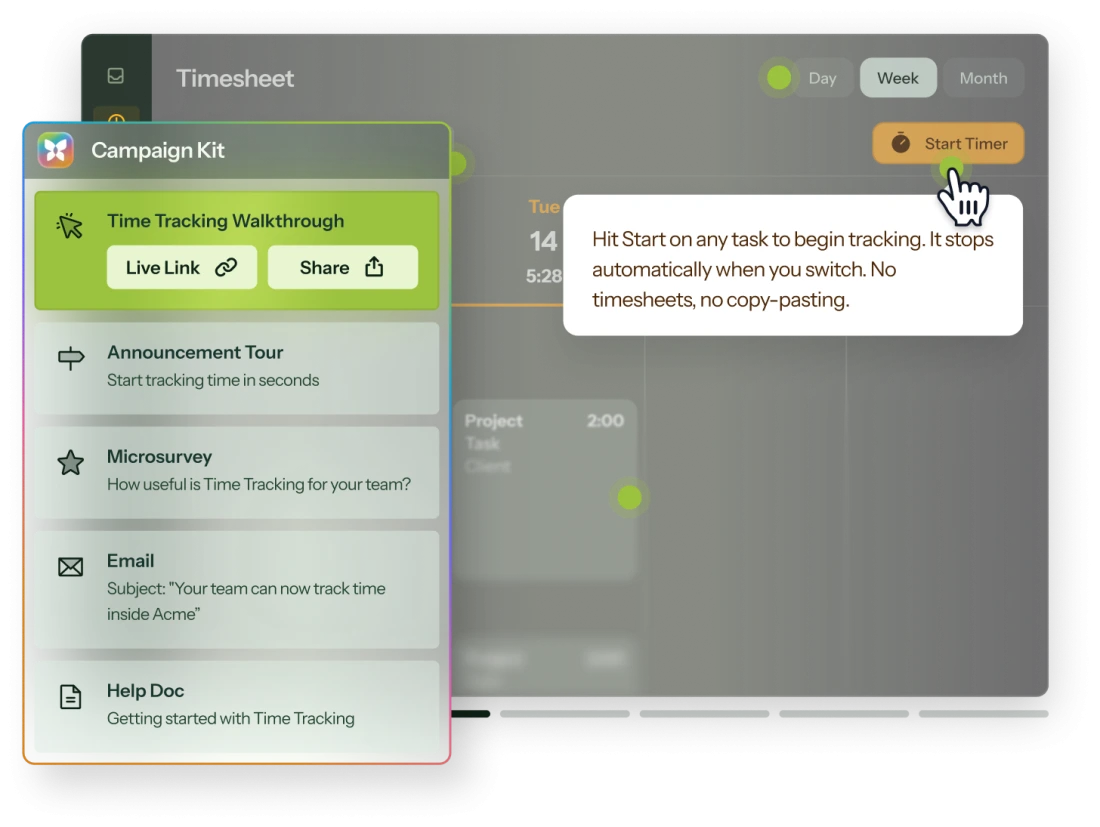
When building with AI, a Demo plus a full Campaign Kit can be ready in under 10 minutes. Record your walkthrough, narrate as you go, and Chameleon generates the demo, announcement Tour, Microsurvey, email, and help doc. You just have to review.
When you record with voice commentary, Chameleon uses your narration to generate a complete launch package: an announcement Tour, a feedback Microsurvey, email copy, and a help doc draft, all ready the moment your recording ends.
Other demos are made for sales and marketing teams. Chameleon works for those use cases and carries the story into your product:

- One recording → many assets. Auto‑generate announcement modals, Microsurveys, release note copy, help docs, and more.
- Target by intent. Trigger in‑app campaigns based on how someone interacted with the Demo.
- Measure real impact. Demo Goals tell you how many viewers go on to sign up, adopt a feature, or hit any custom milestone.
- All in one UI. Demos live alongside checklists, Microsurveys, and other in-product patterns (no duct‑taping tools together!).

If you only need a splashy asset for the homepage, other providers are great. If you care about activation and adoption, Chameleon is the keeper.
Record your product walkthrough using Chameleon's Chrome extension. Narrate as you go and Chameleon generates the hotspots, chapters, and CTAs for you. Then refine in the editor: pan and zoom to the parts that matter, blur sensitive data, annotate screenshots, and rearrange chapters. No design skills required.
You can insert an email‑capture step at any point in the demo flow, making it easy to identify engaged prospects.

To get feedback on a prototype within your Demo, add Figma as an "Additional action" and let viewers leave comments in context.

For in‑product sentiment checks, you can trigger a Chameleon Microsurvey based on the viewer's behavior during or after the Demo.
Lots! Find all our integrations here.

Tools like HubSpot, Salesforce, Mixpanel, Heap, Amplitude, and Segment sync customer data and audiences into Chameleon, and push Chameleon engagement data back out (specifics vary by tool).

Tools like Figma and Chili Piper launch inside your Demos so viewers can explore a prototype or book a meeting without leaving.

For anything else: Zapier, webhooks, a REST API, and an MCP server.
Only once, to install the Chameleon code snippet, which can be done in minutes. After that, your Product or Growth team can own everything from creating Interactive Demos to running A/B tests, without writing a single line of code.
You don't have to switch everything at once. Many teams start by using Chameleon for new feature launches, where tracking feature use matters, while keeping their existing tool for marketing demos.

If you do want to migrate fully, rebuilds are fast. The quickest approach:

1. Pick your top 3-5 demos
2. Re-record them with voice narration (average rebuild: under 15 minutes each)
3. Match your branding with Themes, then retire the old embeds at your own pace

Pro tip: use your old hotspot copy as a voice-over script. Chameleon turns it into chapters and hotspots for you.

Plus, on our Growth and Enterprise plans, you can rebuild your favorites with support from your dedicated CSM.
Not at all. Chameleon offers a wide range of in-app guidance, including product tours, embedded cards, checklists + resource centers, NPS + surveys, and CMD+K search. They share targeting, governance, and analytics, so you can improve your product in one platform, not five tools. Find all Chameleon in-app patterns here.

Keep exploring

Interactive Demos

Use cases

Discover how teams use Demos

View use cases
Interactive Demos

Native integrations

Connect Demos to the rest of your stack
View integrations
Interactive Demos

All patterns

See what else Chameleon can build for you

View guidance