








🔍 3 New 'Click Target' Triggers
We added new Trigger options for HelpBar! You can now place your HelpBar in your app for better visibility and it will integrate perfectly in your interface.
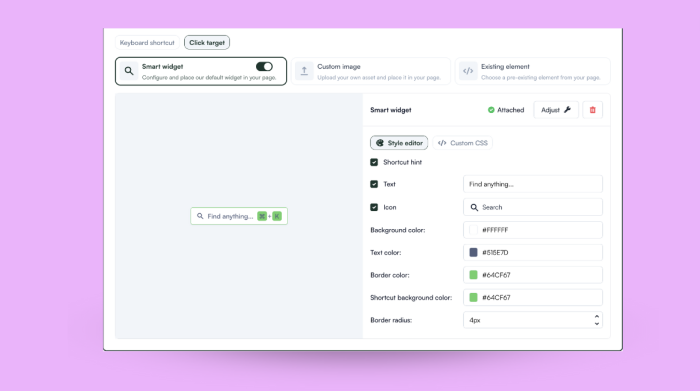
HelpBar Smart Widget options in the Dashboard
Pick between our 'Smart Widget', a custom image, or an existing element from your app. You'll use the Builder to tweak the position in your product, and you can even add it inline.
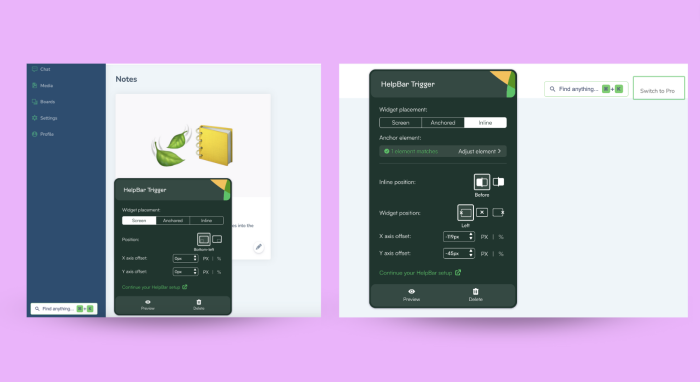
HelpBar widget placement in the Builder
👉 Learn more about configuring your HelpBar!
Enablement is half the effort
You can use these Trigger options to bring attention to your HelpBar (and your specific content). Depending on your resources, use the text options (or your custom image) to explain what users can find in your HelpBar and direct them to find answers. Create the right expectations at a glance!