We spend a lot of time on calls with product teams, and one moment comes up in almost all of them. Someone opens their analytics tool (often the second or third one they're paying for) and says some version of: we've got all this data, and I still can't tell you why people aren't using the thing we shipped last month.
The reasons are rarely exotic. The event they needed was never tagged, because the engineers who'd tag it are busy with something else. Two tools give two different numbers for the same funnel. The dashboard shows a drop-off at step three and says nothing about what people were actually doing there. So the question gets parked, or answered with a best guess, and the next launch goes out the same way.
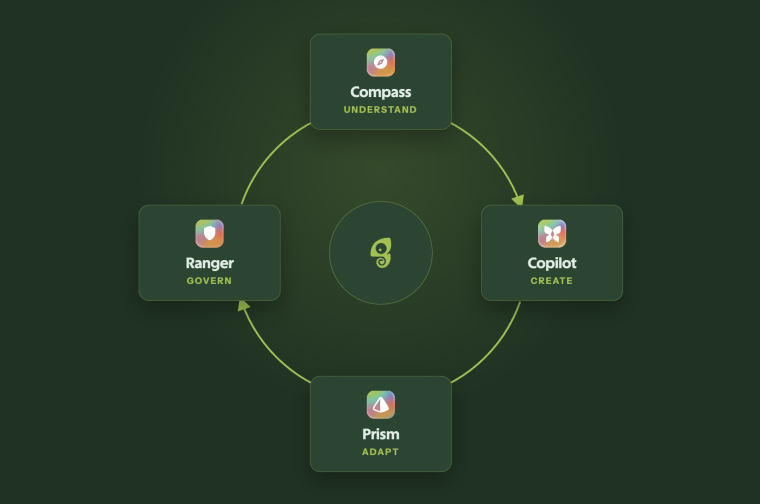
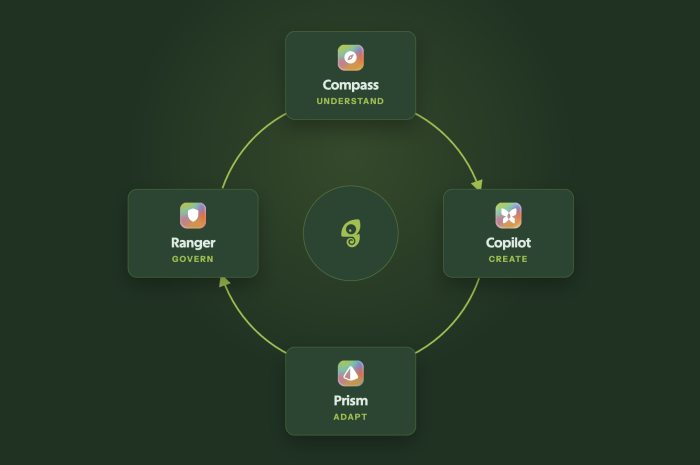
Compass is our answer to that. It builds context on your product and your users from the Chameleon snippet you already have, spots where people are struggling without anyone setting up tracking first, and hands what it finds to Copilot to draft the fix, then keeps track of whether that friction is rising or falling. If you're already a Chameleon customer, it's switched on in your account right now.
The TL;DR
-
Compass is Chameleon's User Intelligence Agent. It builds a picture of every user and account from the snippet you already have, with no event tagging.
-
It spots friction on its own, shows how many users hit each problem, and hands it to Copilot to turn into a segment or an in-app fix.
-
Profile summaries are already on. Turn on Sessions Summaries in AI Controls to get session recaps and friction findings.
-
Profile summaries use 1 credit and session summaries 2. Session tracking, friction ranking, your Features list and Copilot are free.
What is Compass?
Compass watches how people use your product and tells you what's working, what isn't, and what you might do about it. Which is roughly what we mean by "AI-first analytics": instead of handing you charts to interrogate, it does the interrogating first and throws out most of the noise before you ever see it.
How does Compass work?
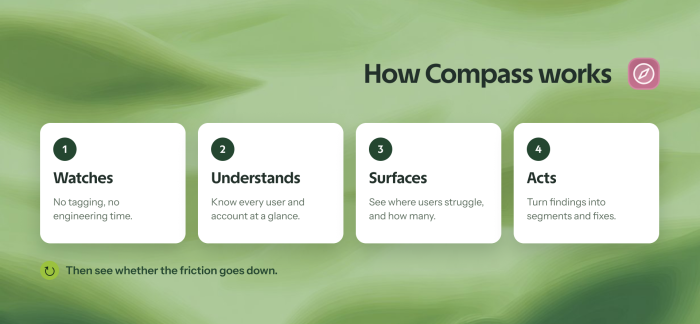
It runs on the Chameleon snippet you already have installed, so there's no event tagging to plan, no SDK change, and no CDP to wire up before anything happens.
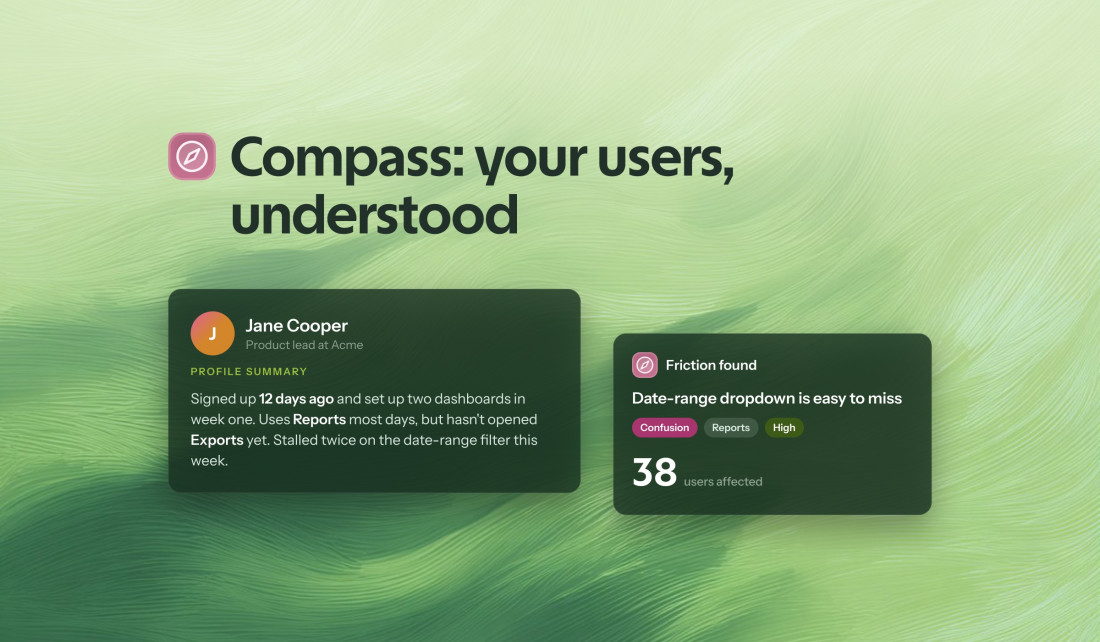
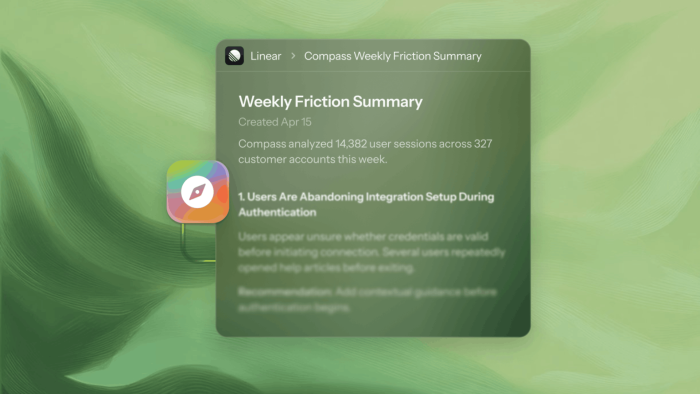
From there, it writes a recap for every user of what they've been doing, and rolls those recaps up to the company, so you can see which features landed with an account, where its people hesitated, and how the account as a whole is adopting you. It spots friction on its own and ranks it, with a count of the users who hit each problem and a severity rating, so the important things tend to find you rather than turning up a week late in someone's spreadsheet. And because every finding feeds into the rest of Chameleon, you can turn it into an audience, an in-app fix, or a backlog ticket without leaving the dashboard.
How to turn Compass on (most of it already is)
Profile summaries are already running for you. Open any user's profile, and you'll find a recap of who they are and what they've been up to, with nothing to set up.
Friction detection and session-level detail sit behind one switch: an admin turns on Sessions Summaries in AI Controls, and that covers both session tracking and the written session recaps. Tracking itself is free. The recaps use credits, and they're what Compass reads to find friction in the first place.
Give it about a week and at least 100 active users before the Friction page fills in (friction needs a bit of data behind it before it means anything).
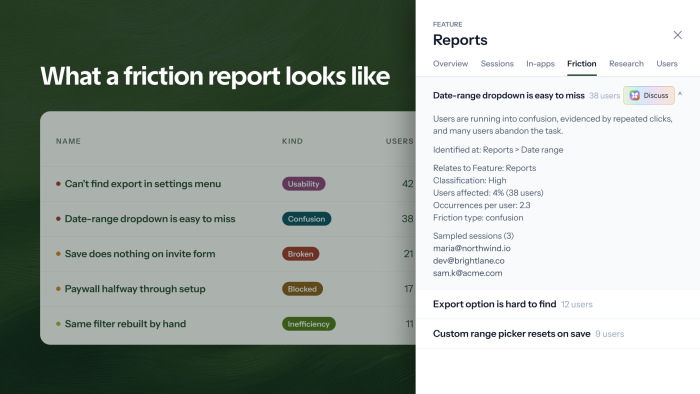
When Compass does find something, it arrives as a short report in plain English: what went wrong, which feature it happened in, what kind of friction it was (usability, confusion, something broken, a blocker, or just a slow and clunky flow), and how many users ran into it. Hit Discuss on any finding to dig into it with Copilot, then ask it to draft the fix.
5 prompts to try with Compass data
You can use Compass one user at a time, or take the bigger questions to Copilot, whether that's friction, a deep dive on one account, or whatever you'd normally open a query for.
1. Get the full picture on one user or account
"Give me a summary of jane@acme.com: who they are and what they've been doing."
It reads back the recap from their profile, which is handy about thirty seconds before a call.
2. Replay a single session
"What did jamil@acme.com do in their last session?"
You get the clicks, the features and the moment they stalled or bailed, all written out, so there's no loading a recording tool and watching at 2x to catch it (goodbye to those popcorn viewing parties).
3. See what's getting in your users' way
"Where are users running into friction in our onboarding flow?"
This one returns a list of friction points, each with how many users hit it and how severe it is. In our experience, it's the prompt that turns Compass into something people check every Monday.
4. Check how an account is adopting your tool
"Which features has Acme's team adopted, and which are they ignoring?"
Adoption predicts churn, and you don't want to notice it too late, so it helps to walk into the renewal already knowing where Acme is sticky and where it's drifting.
5. Rescue a feature nobody's using
"Find a feature our users aren't adopting, and draft an in-app experience to drive discovery of it."
Compass finds the ignored feature, and Copilot builds the nudge, all from one ask. More ideas in our guide to increasing feature adoption.
There are plenty more on the Copilot Skills page, including how to engage detractors to reduce churn.
Turning findings into action
In most analytics tools, you get the chart, you nod, and then the hard part lands back on you, in another tool and probably on another day. We wanted Chameleon to keep going after the finding.
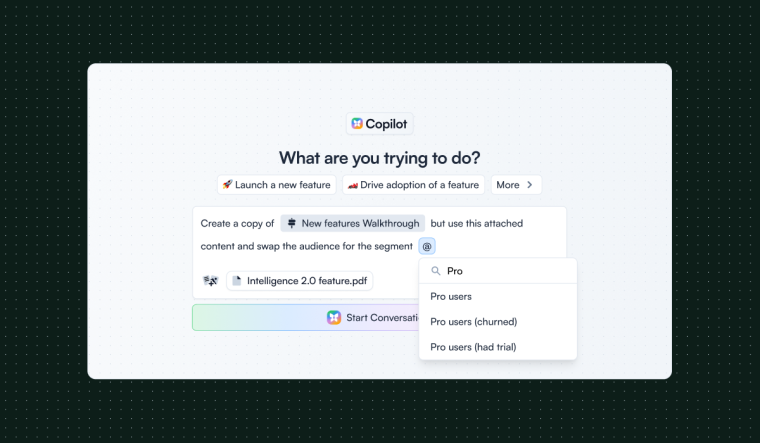
Everything Compass finds is available to Copilot, so you can follow a thread in plain language without writing a single query, and you can ask it to build a segment from what Compass saw without instrumenting anything first, because it already understands the behavior.
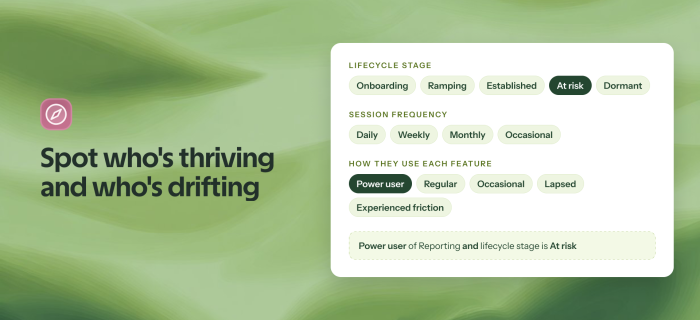
With session tracking on, you also get a set of new user properties you can segment on directly. Compass tags every user with a lifecycle stage (onboarding, ramping, established, at risk, or dormant), how often they show up, and how they use each feature, anywhere from power user to lapsed, so "power users of reporting who are now at risk" becomes a filter you can use, not a spreadsheet you have to maintain.
When it's time to fix something, Copilot can build an in-app experience that walks users past the problem, or write it up for your engineers, and if you've connected Linear, it can file the issue straight into your backlog, where it won't quietly die in a doc.
Most analytics tools stop at the insight. We wanted to go all the way from friction to fix 😉
What Compass costs: AI credits
Compass runs on AI credits, and only 2 things use credits.
- A profile summary, the recap on a user's profile, costs 1 credit per user each time it refreshes, which is every few days for new users and monthly once they're established, and it's on by default.
- A session summary, the written recap of one visit, costs 2 credits per session and shares the Sessions Summaries switch with session tracking, which you can turn off whenever you like.
A lot of Compass costs nothing at all. Session tracking and friction ranking are free, though spotting new friction does rely on session summaries, so at a zero balance, your existing findings stay put, and new ones simply stop arriving. Your Features list is free too, since Compass maps your product's features automatically without spending a credit. And Copilot is never metered, so you can ask it why users are dropping off here, who else is affected, and how this account is trending, and keep going for as long as you like, because exploring what Compass has gathered is free, and only the summaries Compass writes cost credits.
Running low won't lock you out, and we won't hold your data back. Compass just stops writing new summaries, everything it already produced stays where it is, and it picks back up once your balance is positive again. You control spending from the AI Controls page.
New accounts start with AI credits included, so there's nothing to buy to get going. On Growth or Enterprise? Your CSM can walk you through what's included.
Compass FAQs
-
No. Compass never records what your users type. For text fields it only notes that something was entered, and password fields are ignored entirely. It does record what users click on, including the visible label of the button, link or menu option, and the pages they visit, with sensitive details such as tokens removed from web addresses.
-
No. Chameleon doesn't train AI or machine learning models on your data, or on your users' data. Our AI provider is listed with the rest of our subprocessors in the Trust Center.
-
There are 2 levels, and you control both. Profile summaries are on by default, and they're built from the user and company details you already send Chameleon, plus session activity if session tracking is on. Session tracking goes deeper, so turning it on means an admin accepts a data-collection notice first, and either one can be switched off at any time from AI Controls.
-
No. Compass works entirely from the Chameleon snippet you already have, and connecting an analytics tool or CRM is optional, extra enrichment.
-
No. Compass only observes and never shows your users anything by itself. Shipping in-app experiences is Copilot's job, and Compass tells it where to aim.
For our certifications (SOC 2 Type 2, GDPR, CCPA), full subprocessor list and downloadable security docs, visit our Trust Center.
Go see what Compass finds!
Compass is on in your account right now, so open any user's profile to see it at work. If you want the friction picture too, flip on Sessions Summaries in AI Controls, give it about a week, and then ask Copilot "Where are users running into friction?"
Compass is new, and we're shaping it with the teams using it, so tell us what's genuinely useful and what's noise. Your take really does decide what we build next.
Compass is available on Pro, Growth, and Enterprise plans (accounts with AI enabled), and new signups get it automatically during their free trial, with 10,000 AI credits to start.