







Back To Integrations


Linear + Chameleon
Connect your Linear workspace to Copilot and keep what's shipping in sync with your in-app campaigns
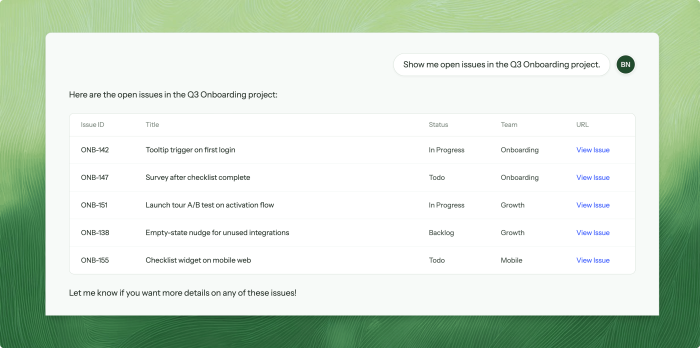
Linear inside Copilot
Once connected via OAuth, Copilot uses the Linear MCP to query your issues, projects, and teams in real time, without you ever leaving the Chameleon Dashboard.
- Search for issues by title, assignee, or label
- List open issues in a project or cycle
- Look up team members and their current priorities
Build in-app guidance from what you shipped
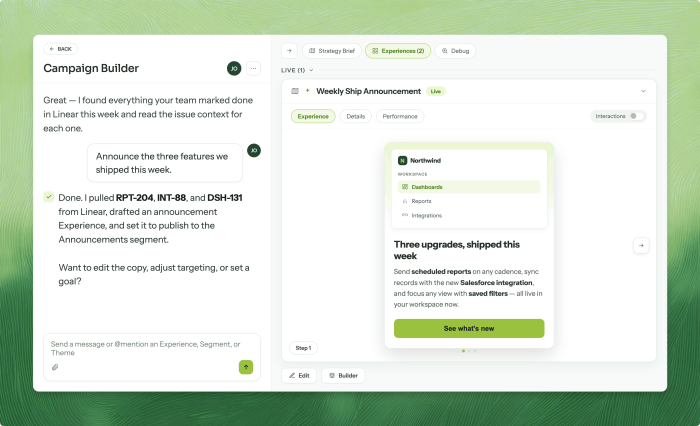
Context from Linear flows into what Copilot builds. Ask it to announce the features you shipped this week, and it finds them in Linear, reads the issue context, and drafts the in-app Experience.
- Turn shipped features into announcement campaigns in one prompt
- Pull issue context into Experience copy without leaving Copilot
- Keep users in the loop when new features launch
Mention @Chameleon in Linear
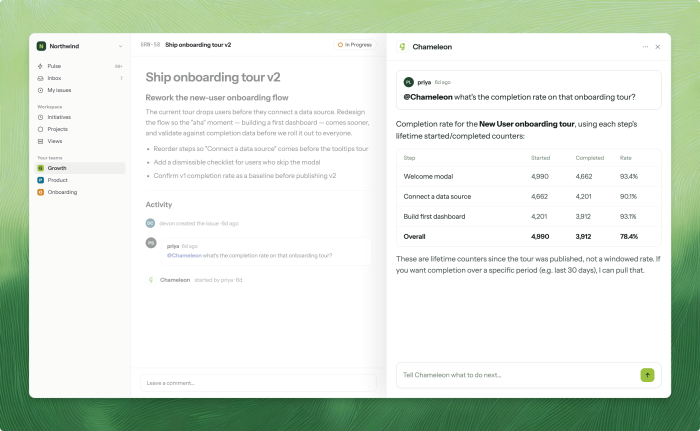
You can also mention @Chameleon in any Linear issue comment, and Copilot replies directly in the thread with full account context.
- Ask "what's the completion rate on that onboarding tour?"
- Get survey feedback on features without switching tools
- Available to all team members with Copilot access


.png)







Close the loop between shipping a feature and communicating it