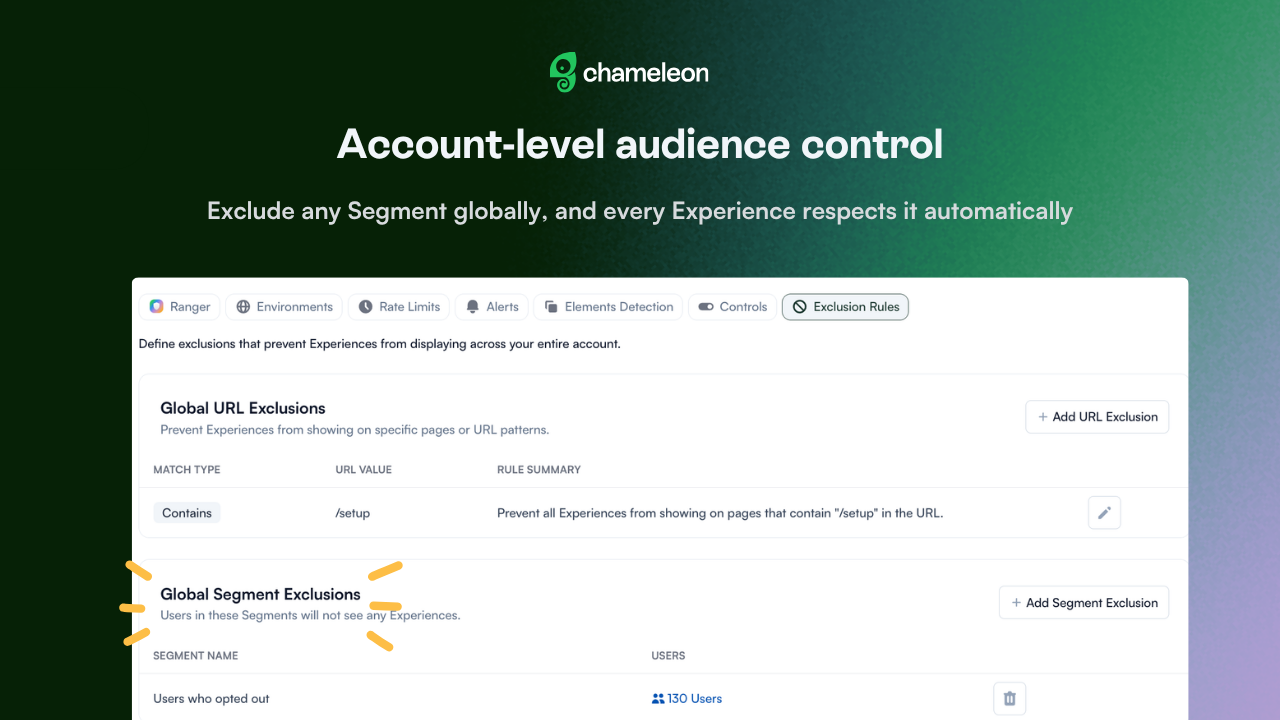
🎁 Your audience rules in one place
Some users just shouldn't be seeing your in-app Experiences. Maybe they opted out, or maybe there's a compliance reason. Knowing who's off-limits doesn't mean every Experience remembers that. Now, set it once.
Global Segment Exclusions lets you pick any audience and block them from every Chameleon Experience in your account. No individual configuration, no exceptions. Build a Segment from your opt-out list or any audience that should consistently be off-limits and add it as a rule. One less thing to remember forever.
👉 Set your Exclusion Rules →
Global Segment Exclusions are currently rolling out to Enterprise accounts.
📖 Learn more about Exclusion Rules→
✨ While we're at it
Your Segment export, your format: pick current view, all attributes, or ID and email only and get the download you need, without reformatting after.
More date ranges at a click: last 7, 30, 90, and 365 days are now available everywhere the date picker shows up (analytics charts, MTU reports, individual Experience pages).
Export your MTU list: pull your latest monthly tracked users as a CSV or Google Sheet, from the Billing page. Useful for audits or verifying what's being counted.