








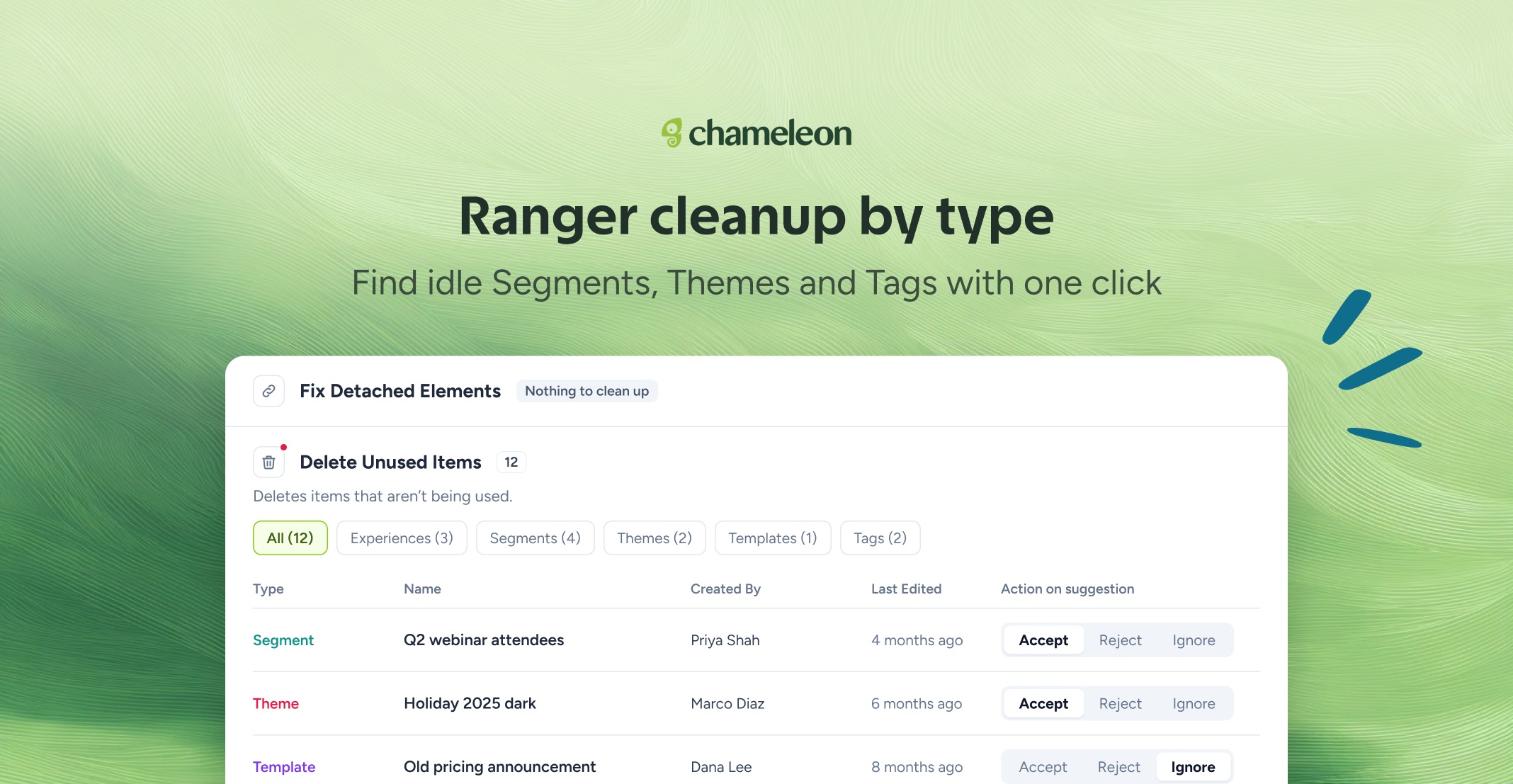
🎁 Clear out unused items one type at a time
Ranger's Delete Unused Items job has a tab for each kind of item: Experiences, Segments, Themes, Templates, and Tags, each with a count. Open one tab, clear what you don't need, and leave the rest for another day.
The list is more balanced, too. Ranger spreads its suggestions across every type of item, and when your account gets close to its user Tag limit, unused Tags come first, so you can free up room before you reach it.
👉 Review what Ranger found
📖 Learn more about Ranger
🔐 Ranger is available on the Growth and Enterprise plans. The more balanced suggestions are available now; the new tabs are rolling out to all accounts over the next few weeks.
✨ While we're at it
Copilot edits your live Tours. Ask Copilot to add a step to a Tour you already have, live or still a draft. The step is saved as an unpublished change, so your users keep seeing the current version until you publish again, and publishing doesn't reset who has already completed the Tour. New steps start as a centered modal; anchor one to a page element in the Builder.
Ask Copilot to open a Launcher on page load, add a dismiss button, or choose when a dismissed Launcher comes back
When Copilot hands your question to our Support team, they see the whole chat, so you don't have to repeat yourself
Dialogs and side panels across the Dashboard keep keyboard focus and hand it back where you left off, with a visible focus ring as you Tab through
👉 Ask Copilot to add a step
📖 Learn more about Copilot
Adding steps to Tours and the fuller handover to Support are available now on all accounts with AI enabled. The Launcher settings are rolling out to all accounts over the next few weeks.