








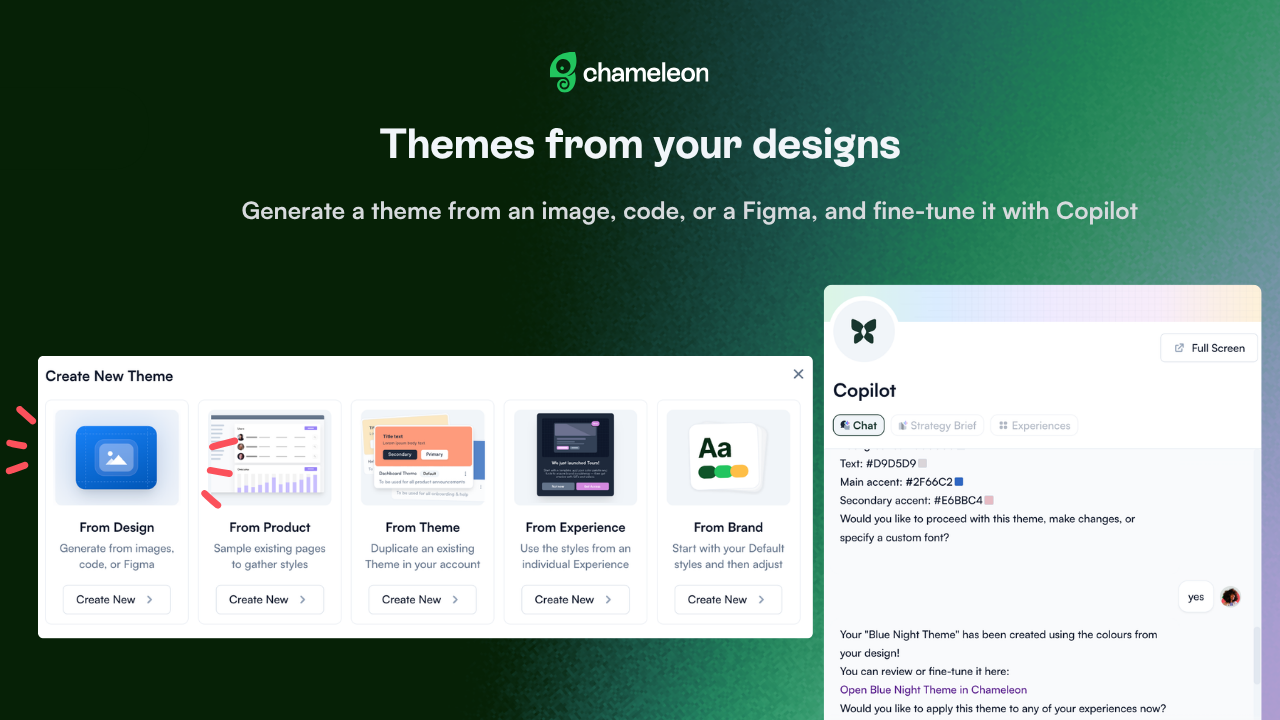
🎁 Hand Copilot your brand, it handles your styling
You already nailed your brand somewhere. Let Copilot match it in Chameleon: with the new from Design option, hand Copilot an image, code, or a Figma prototype URL, and it builds your Theme for you. You don't have to know your hex codes by heart or hunt through brand files. Point Copilot at something that already looks right, and it builds the Theme in seconds, pulling colors, fonts, and accents straight from the source.
Refine and manage your Theme right in the chat: rename it or @-mention it to tweak it on the spot, no digging through the Dashboard.
Creating a Theme with Copilot from your design is currently rolling out to all accounts.
✨ While we're at it
Embed Experiences inline (by request): place a Card, Banner, Launcher, or HelpBar widget directly into your page's layout. Useful when an Experience needs to live inside a complex or responsive layout.
Scoped custom CSS (by request): keep the custom CSS you write for one Experience from bleeding into your others. Useful when more Experiences with complex custom CSS can show at the same time, and you want each one's styling to stay put.
Reach out to your CSM if you want these enabled for your account.




